Chrome extension for website review

Keep website feedback on the page.

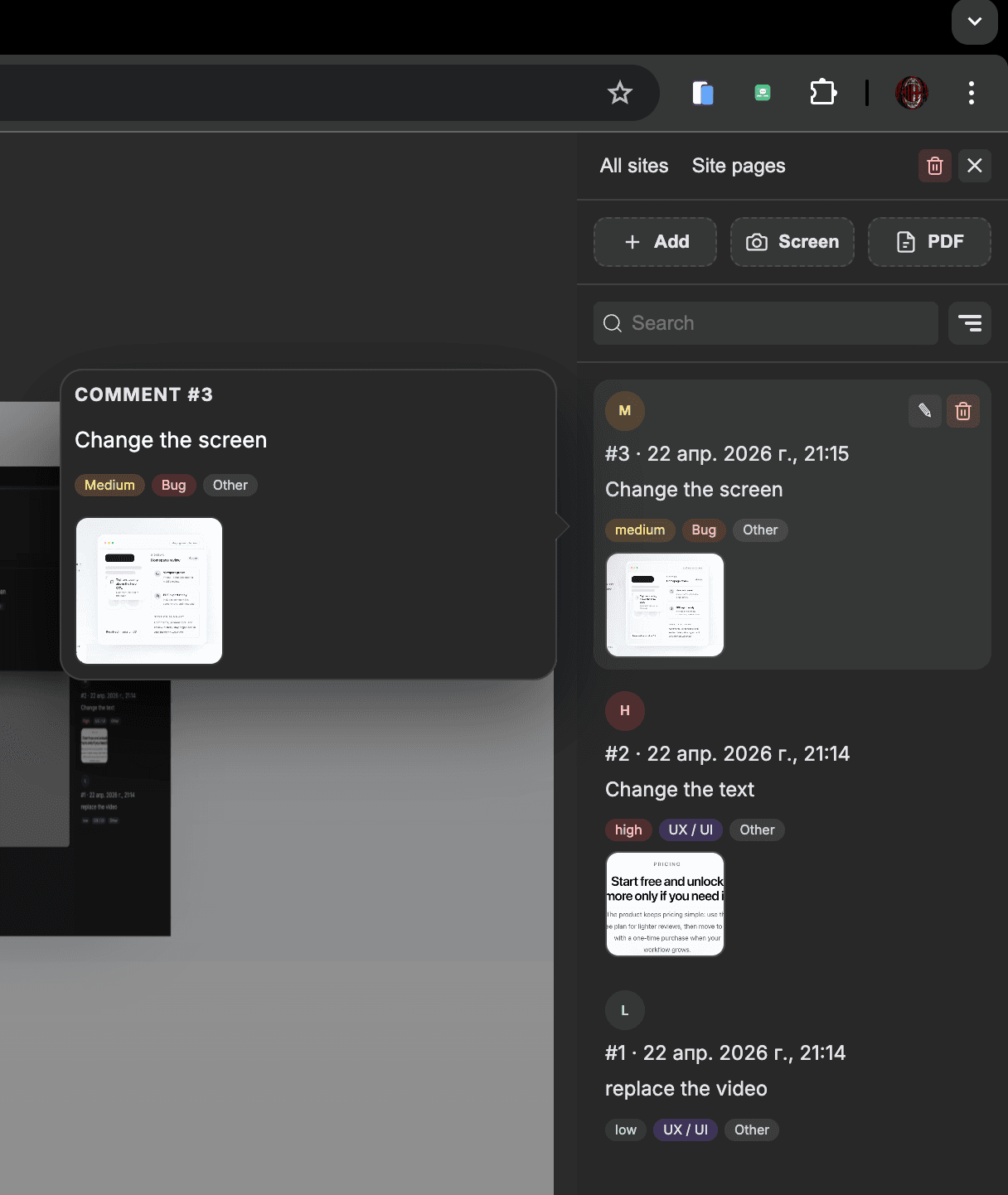
PageComments gives designers, QA, and frontend teams one clear place to review a page, leave comments in context, and share the result in PDF.

Review on localhost, staging, and live URLsAdd comments directly on the pageExport a clean PDF when it is time to share

In one flow

Organize sessions, switch viewports, and keep the review moving from one sidebar.

Build feedback into the page

Add comments directly on the page so it is easier to understand and fix.

Ready to share

Export comments, screenshots, and metadata into a clean PDF report.

staging.example.com

Tighten spacing above the hero CTA.

Comment pinned to the page

Resolved in session 03

Sidebar

Homepage review

4 open

Viewport preset

iPhone 15 Pro selected for mobile review.

PDF export ready

Includes comment list, screenshots, and metadata.

Session summary

Comments, screenshots, and review history stay organized in one browser workflow.

Product demo

See the workflow in one quick view.

From pinned comments to exports, the review flow stays simple, fast, and visible right on the page.

YouTube demo

Pricing

Start free and unlock more only if you need it.

The product keeps pricing simple: use the free plan for lighter reviews, then move to Pro with a one-time purchase when your workflow grows.

Free

$0

A simple starting point for smaller review cycles.

  • 10 comments per page
  • 3 saved sites with history
  • 1 image per comment
  • Limited templates, palettes, and presets
Start free
Recommended

Pro

$25one-time

A one-time unlock for heavier team workflows.

  • Unlimited comments
  • Unlimited sites
  • 5 images per comment
  • All templates, palettes, and presets
Install and unlock Pro

Pro is described in the product as a local unlock stored in the browser, not a recurring subscription.

FAQ

Questions before you install

Project documentation describes local browser storage and IndexedDB as the primary data layer, so comments, sessions, templates, and related review data stay in the browser by default.

Yes. You can export a PDF report with comments, screenshots, and metadata when you need to share review output outside the extension.

If the page is open in Chrome and the extension has access to it, the workflow can be used on localhost, staging environments, internal tools, and live sites.

Free covers lighter reviews with limits on comments, exports, saved sites, and images. Pro unlocks higher limits plus the full set of templates, palettes, and viewport presets with a one-time purchase.

Ready to try it

Review the page

Install PageComments, start with the free plan, and keep your next round of design, QA, or frontend feedback in one clean flow.